Interacting with Freya
Freya 2.x is designed to help you navigate regulatory complexity with speed and confidence. Whether you're researching a specific requirement or exploring cross market comparisons, Freya delivers structured and reference backed insights.
2.1 Asking Questions to Freya
Before entering your query, make sure to select the relevant domain:
- Medicinal Products
- Medical Devices
- Cosmetics
- Food & Food Supplements
- Chemicals & Household Products
This ensures that Freya tailors its response using the correct terminology,
standards, and authority guidelines for the selected domain of interest.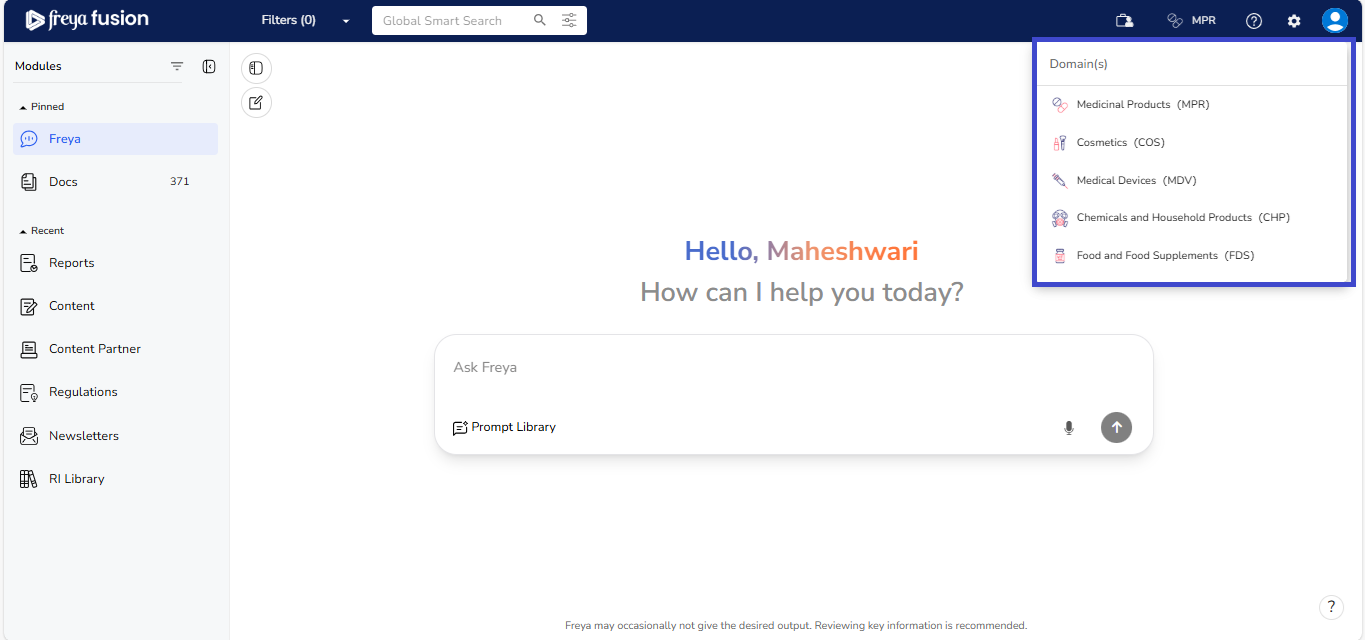
Once a domain is selected, type your regulatory or scientific question directly into the search bar. Freya uses advanced AI and a curated regulatory dataset to analyse your input and return context-aware, actionable answers, often presented in a structured format and accompanied by categorized source documents.
If you're unsure how to begin or need inspiration for framing your query, you can
refer to the Prompt Library. It provides a collection of pre-defined,
well-structured questions to help you get started quickly and effectively.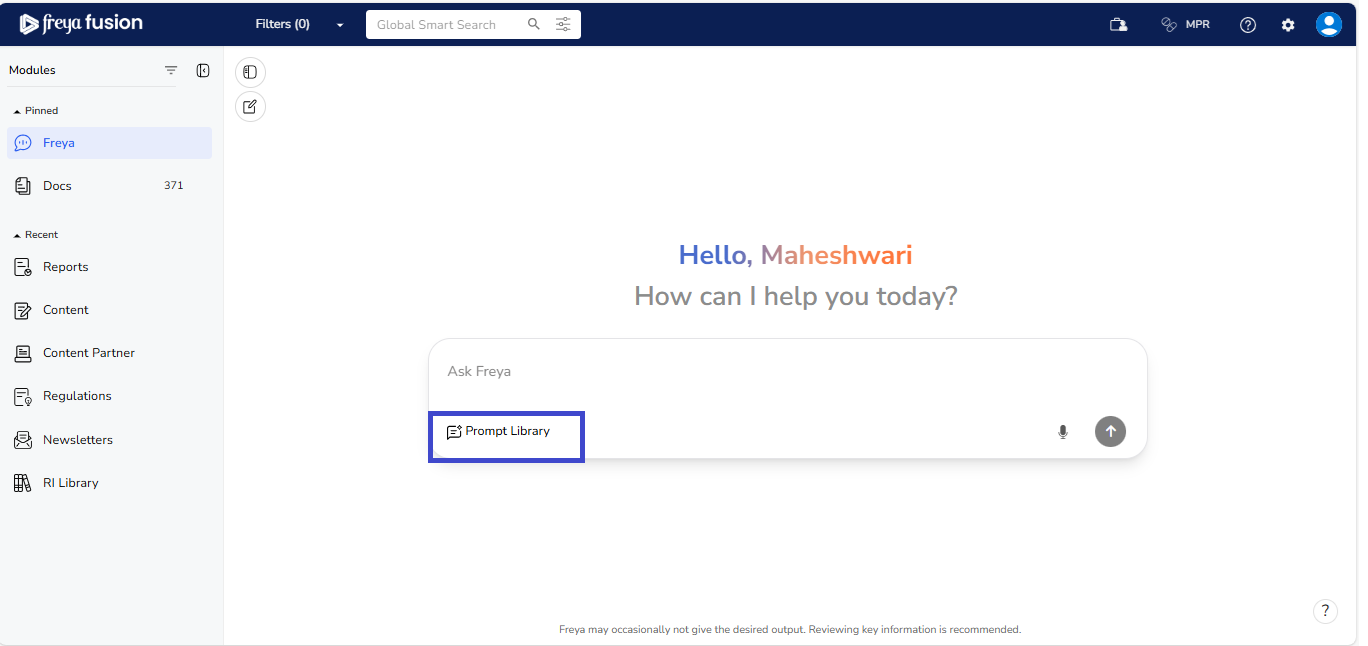
Freya’s enhanced conversational capabilities allow you to ask follow-up questions without repeating your original query. This enables a natural, continuous dialogue that stays aligned with the context of your initial question.
2.2 Prompt Library in Freya 2.x
You can leverage the Prompt Library, which includes:
- Reg Radar - Regulatory updates from the recently added data.
- Reg Select - Curated questions prepared by SMEs.
Simply copy and enter or, click the question to see the question directly from the
Prompt Library into the chat, and Freya will provide accurate answers. All
source documents come directly from regulatory modules, ensuring reliable
and up-to-date information.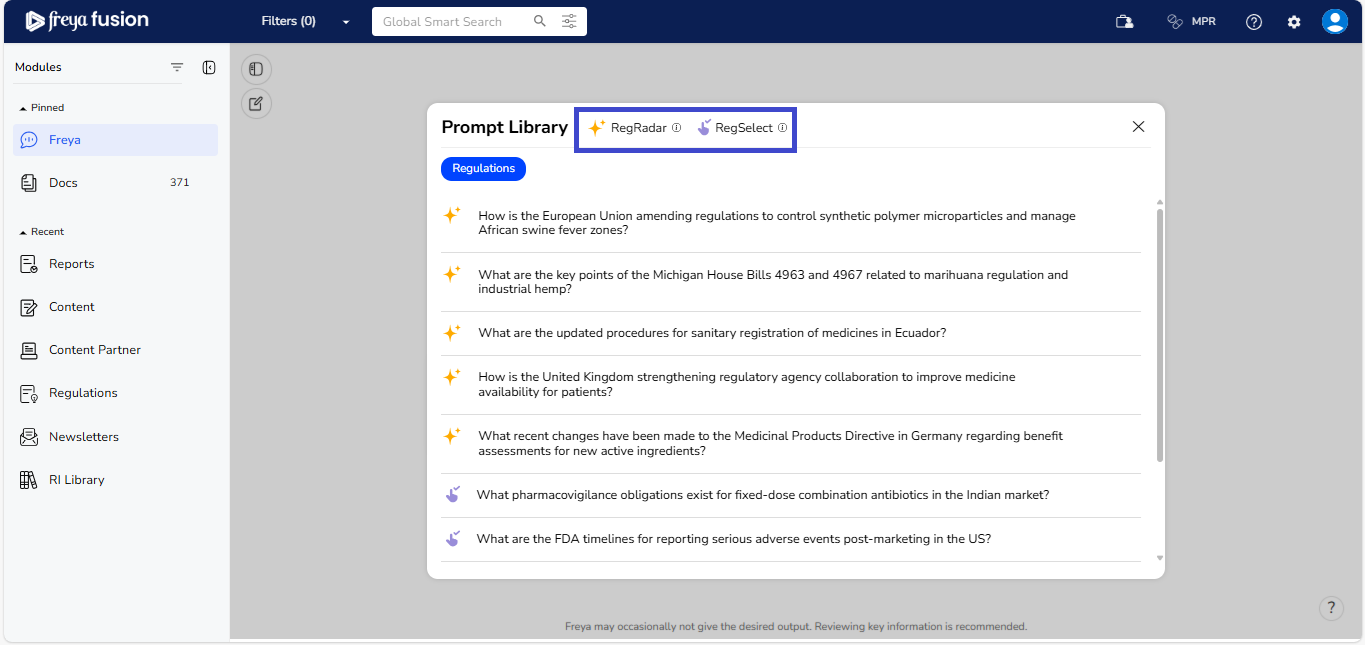
2.3 How can you Ask Effective questions in Freya 2.x
Freya 2.x is built on a Large Language Model (LLM), which means the quality and relevance of its responses are directly influenced by how your question is framed. To ensure you receive the most accurate, structured, and actionable regulatory insights, it's important to follow a few key best practices when submitting your queries.
2.3.1 Best Practices
- Be Specific with Product, Market, and Topic: Clearly mention the product
type, geographic market, and the regulatory topic you’re
interested in.
- Example: “ What are the labelling requirements for dietary supplements in Canada? ”
- Why it works: It helps Freya narrow down the regulatory scope and retrieve the most relevant guidance.
-
Use Full Sentences or Scoped Questions: Ask complete, well-structured questions, including comparative or scenario-based queries.
- Example: “ How do the timelines and processes differ for submitting periodic safety update report in the US and EU? ”
- Why it works: Freya can interpret context more effectively and return structured, multi-part responses.
-
Use Follow-Up Prompts:
- Continue the conversation with natural follow-up questions. You don’t need to retype the original query.
- Why it works: Freya retains context, allowing for smooth, multi-step exploration.
-
Voice Commands
Freya 2.x now lets you use voice commands to dictate questions, making it
faster and easier to interact with the chatbot.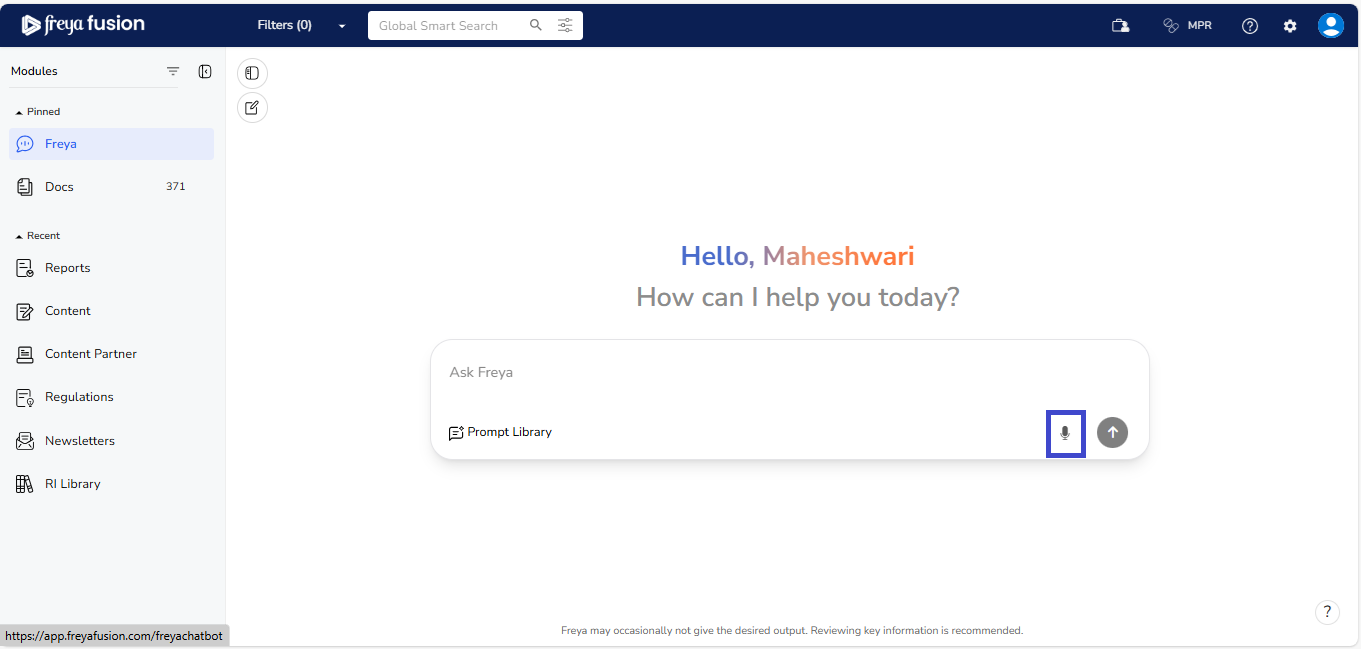
2.3.2 Types of Questions you can ask Freya
Freya 2.x is built to handle a wide spectrum of regulatory questions, from quick, fact-based lookups to complex, multi-layered requests that require analysis and comparison. Knowing the different types of queries, you can ask will help you make full use of Freya’s enhanced capabilities.
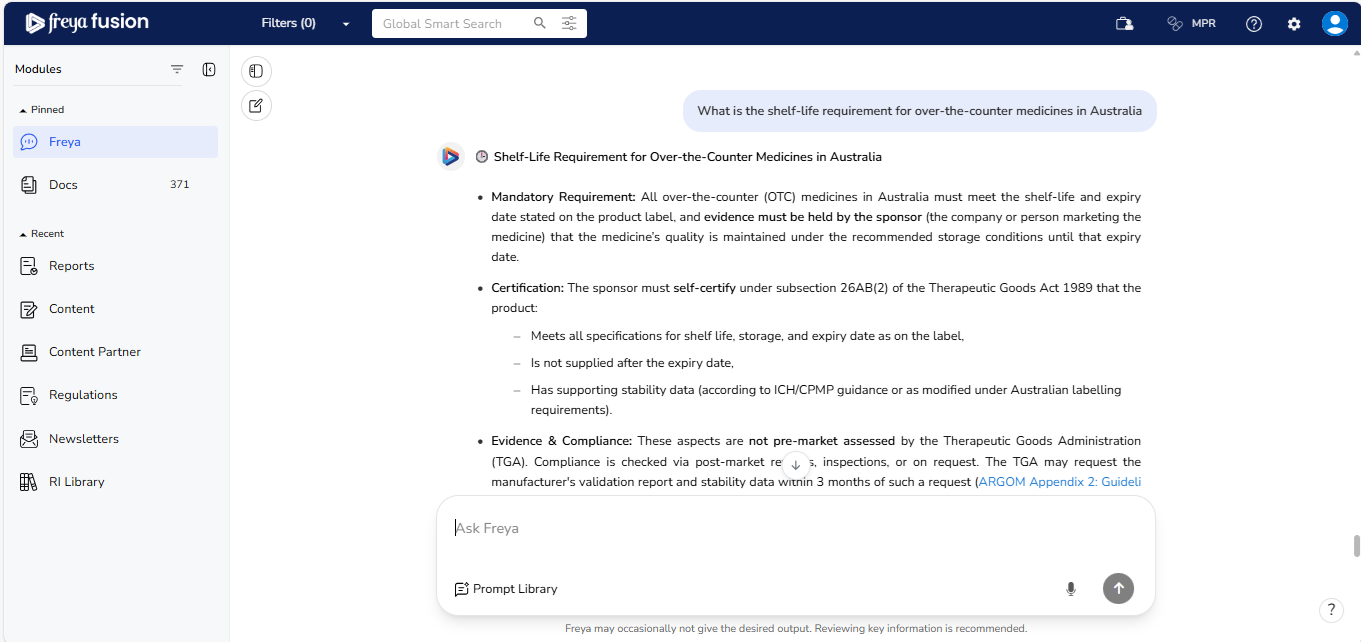
- Fact-Based Regulatory Lookups: Simple, direct questions focused on a
specific requirement.
- Example: “What is the shelf-life requirement for over-the-counter medicines in Australia?”
- When to use: For quick retrieval of a single, verifiable
regulatory fact.
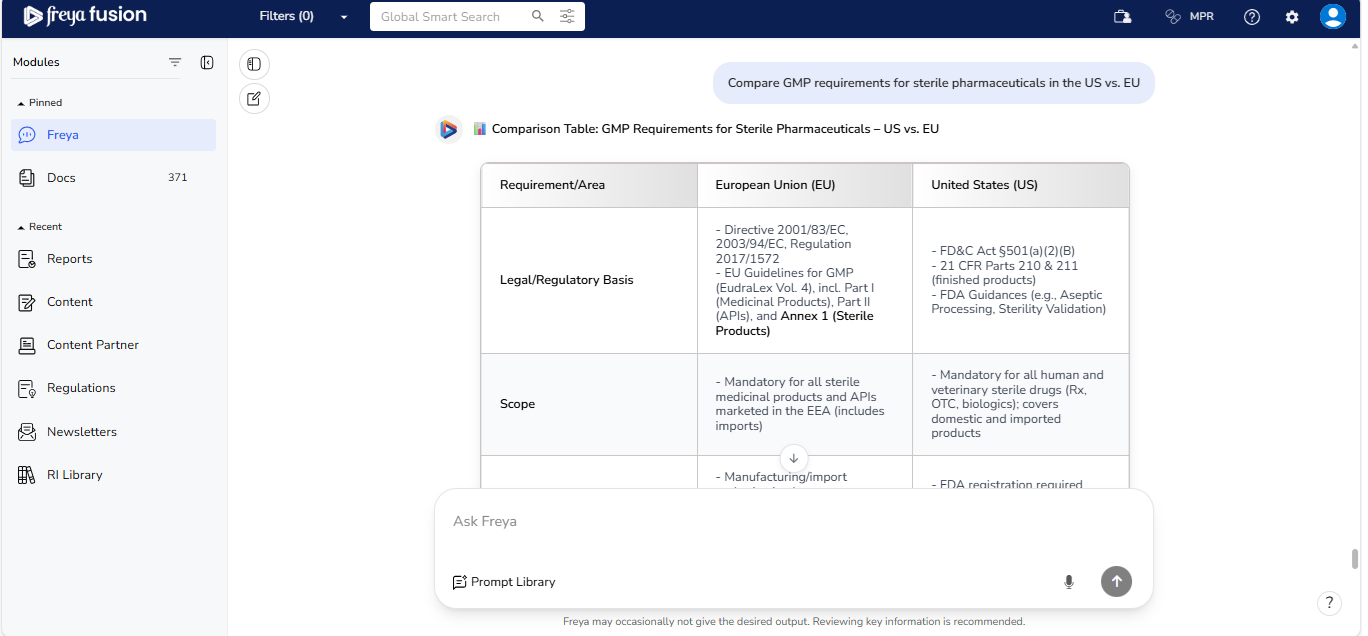
- Comparative Queries: Requests to evaluate differences or similarities
between countries, regions, or product types.
- Example: “ Compare GMP requirements for sterile pharmaceuticals in the US vs. EU ”
- When to use: For cross-border strategy alignment and
regulatory benchmarking.
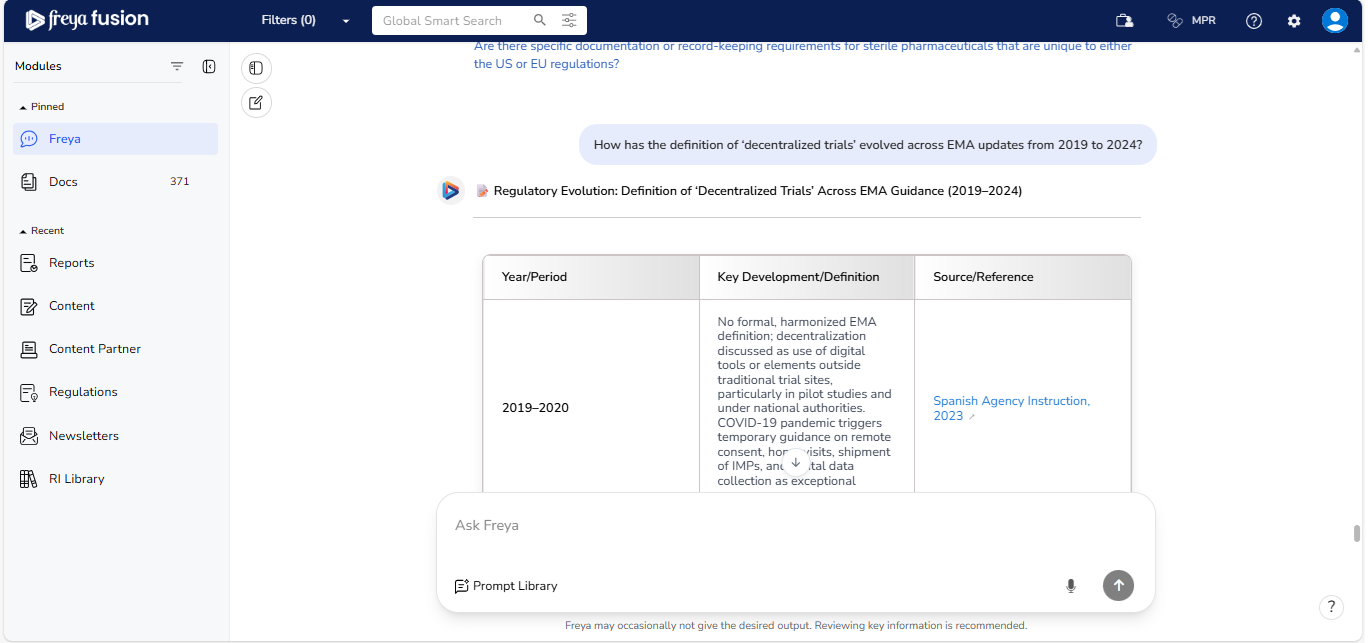
- Timeline & Chronology Tracking: Questions that require a
historical view of how a regulation has evolved or is expected to evolve.
- Example: “ How has the definition of ‘decentralized trials’ evolved across EMA updates from 2019 to 2024? ”
- When to use: For tracking policy evolution and planning
compliance transitions.
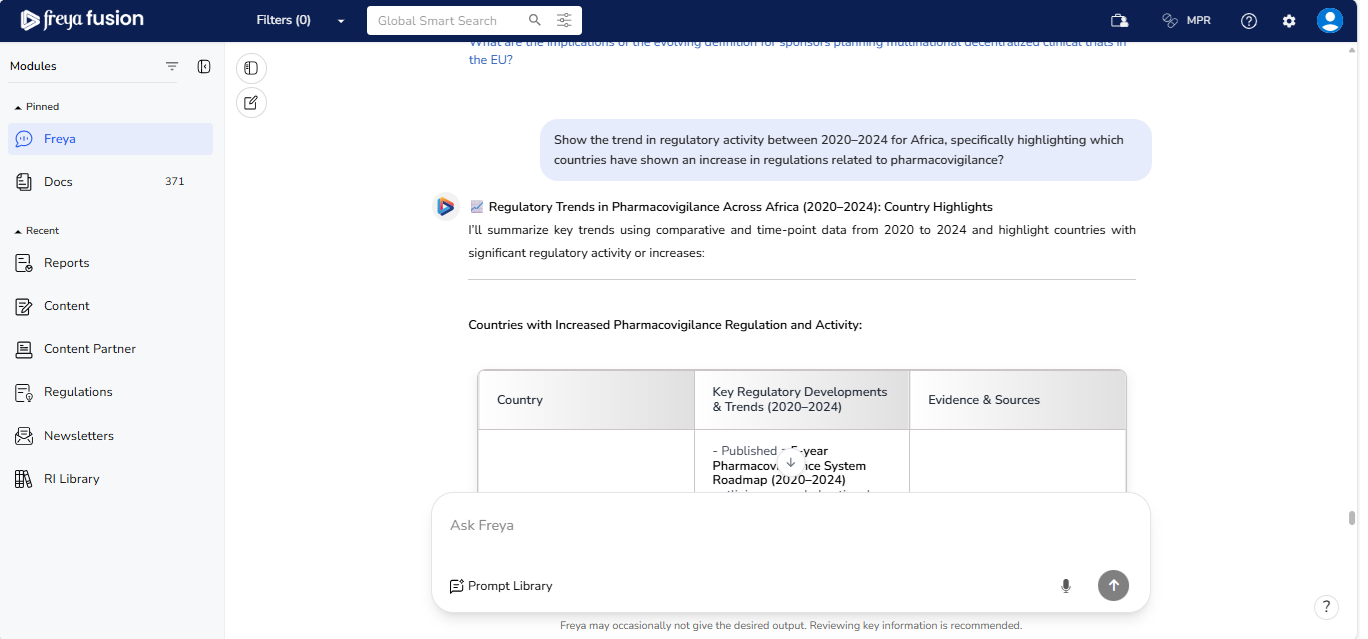
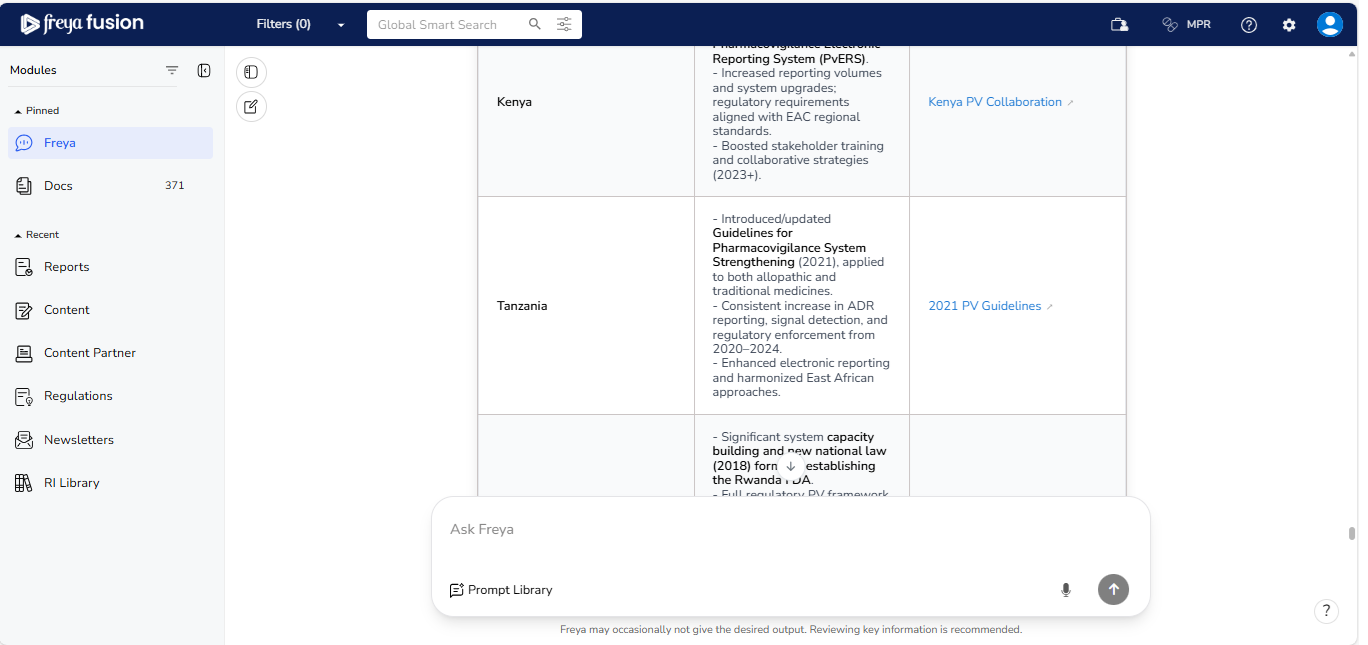
- Trend Analysis: Requests to identify emerging themes or shifts in
regulatory focus.
- Example: “ Show the trend in regulatory activity between 2020–2024 for Africa, specifically highlighting which countries have shown an increase in regulations related to pharmacovigilance? ”
- When to use: For proactive strategy and anticipating upcoming
changes.
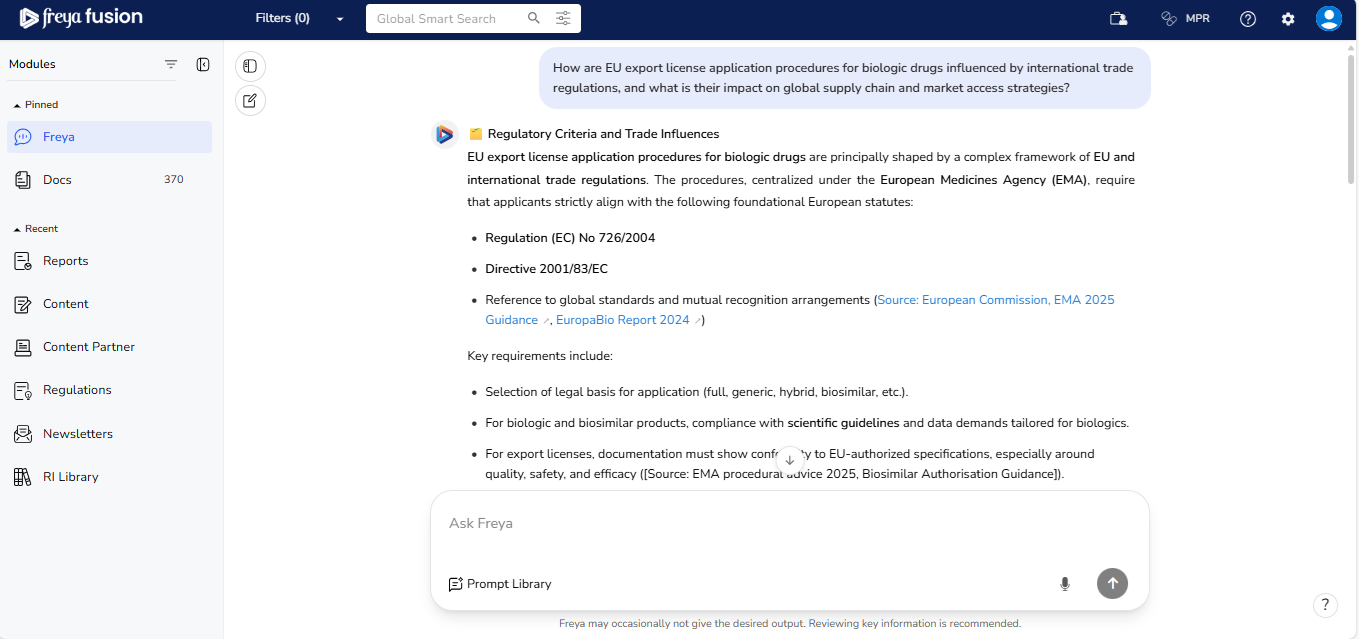
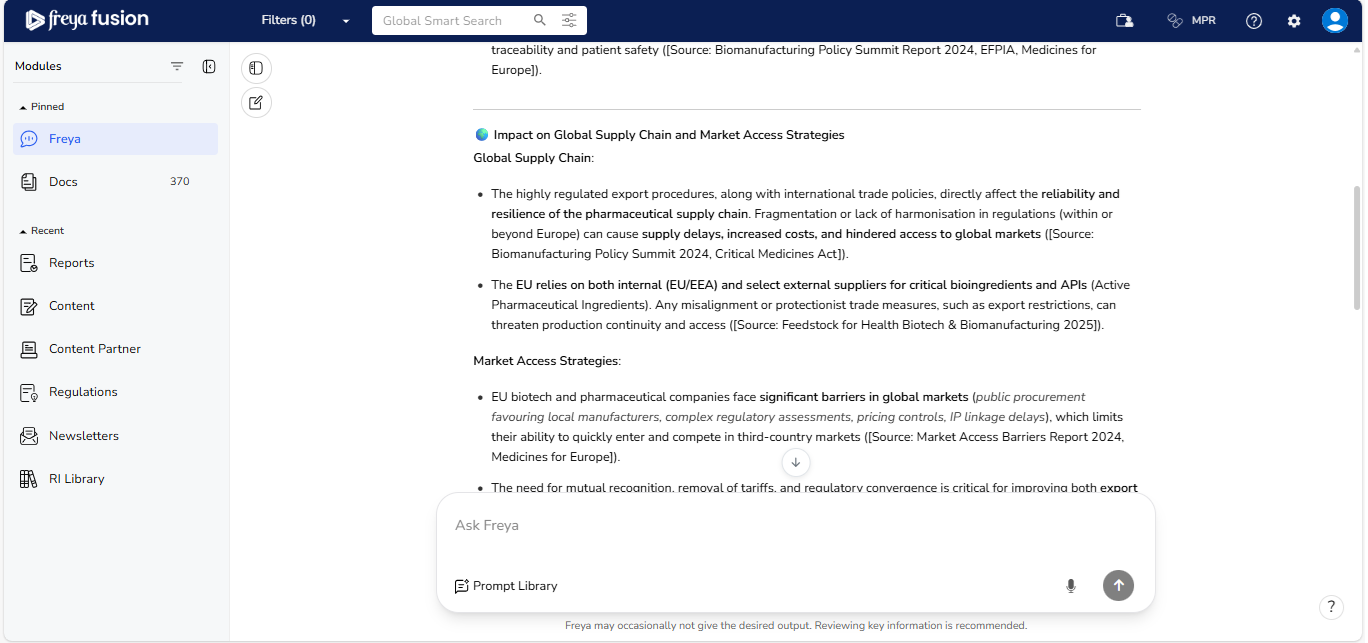
- Impact Insight: Inquiries into the breadth of a regulation and its
potential effect on your operations.
- Example: “ How are EU export license application procedures for biologic drugs influenced by international trade regulations, and what is their impact on global supply chain and market access strategies? “
- When to use: For understanding the extent and practical
implications of compliance changes.
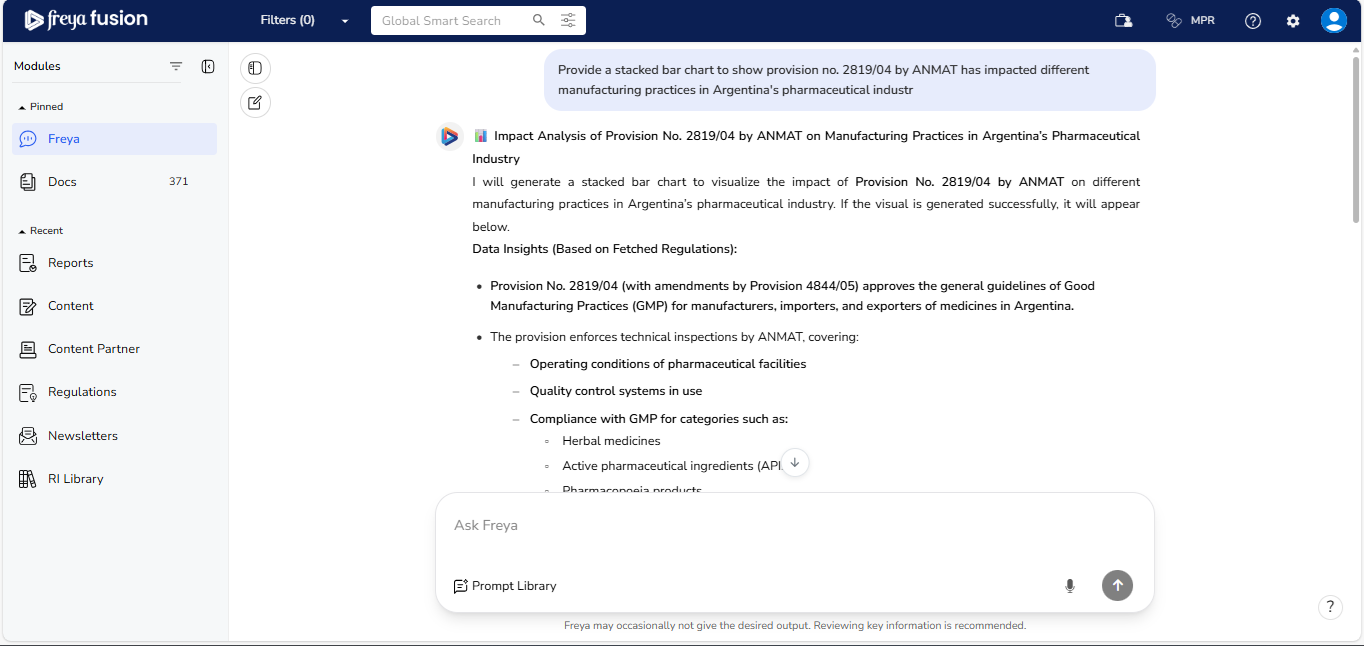
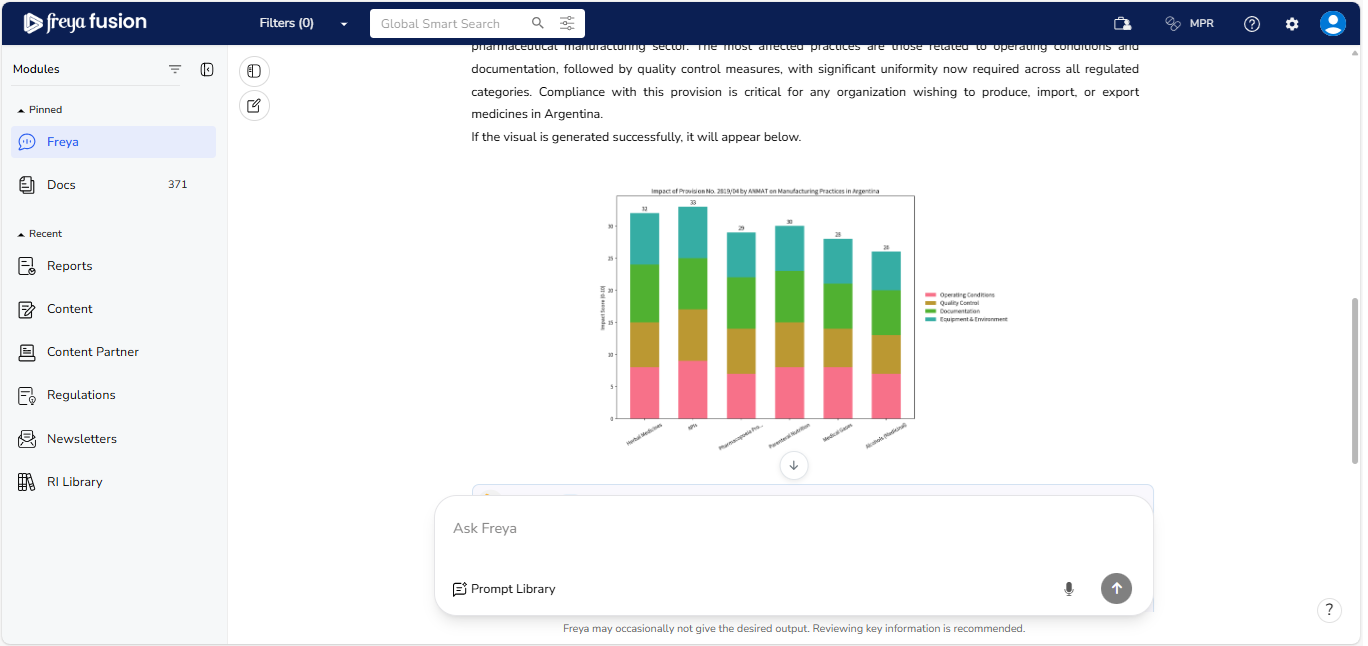
- Data as Charts: You can ask Freya Chatbot a wide range of questions,
and it can present the data visually as charts for easier understanding.
Freya generates interactive charts like bar graphs, line charts, and pie
charts to help you interpret insights quickly. Use this feature to explore
your data visually, identify patterns, and make informed decisions without
needing to create charts manually.
2.4 Response by Freya
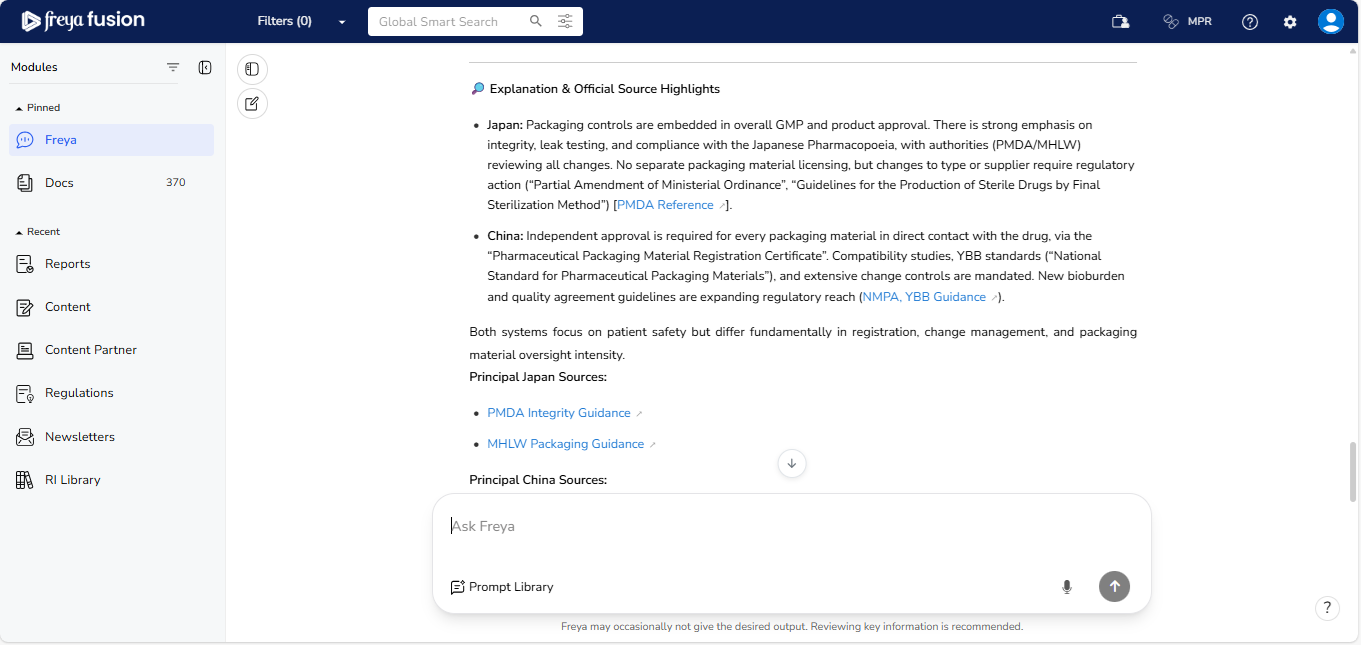
Once you enter your query in the Ask Freya chat bar, Freya generates a
structured and intelligent response - often including summaries,
comparison tables, or clearly formatted sections to help you
quickly interpret complex regulatory information.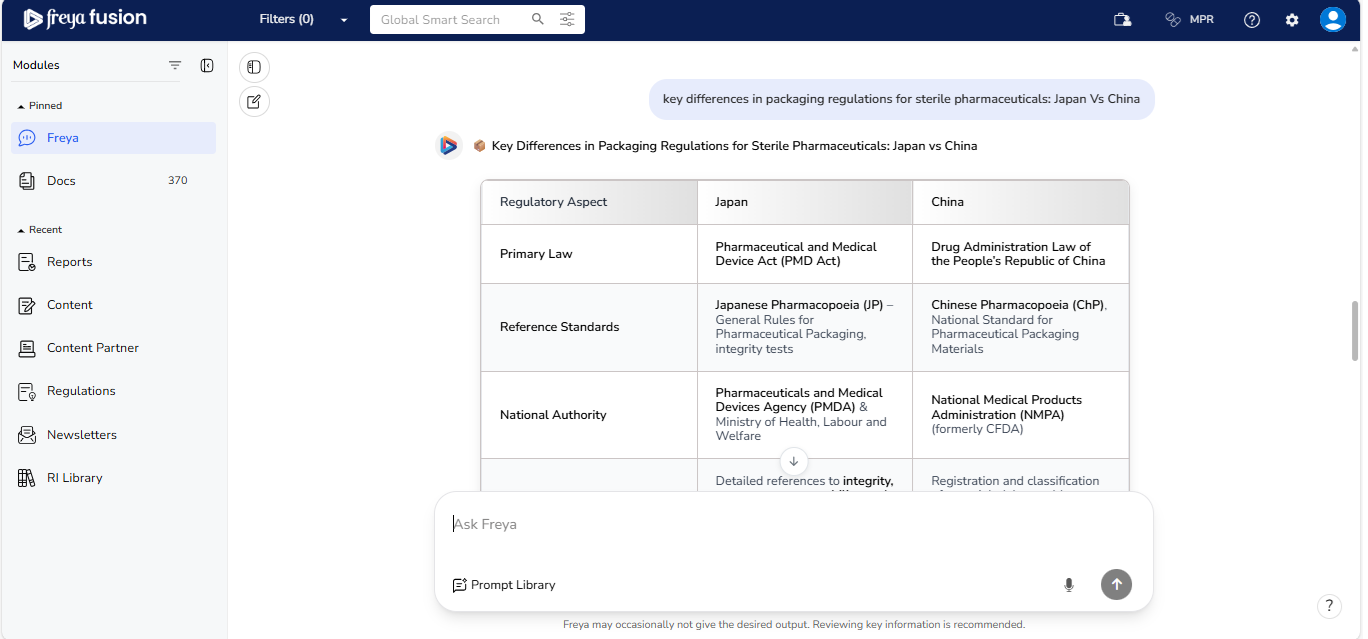
At the end of every response, you’ll find a " View All Sources " button that
opens the full list of supporting documents used by Freya to generate your answer.
These sources are displayed in the right-hand panel.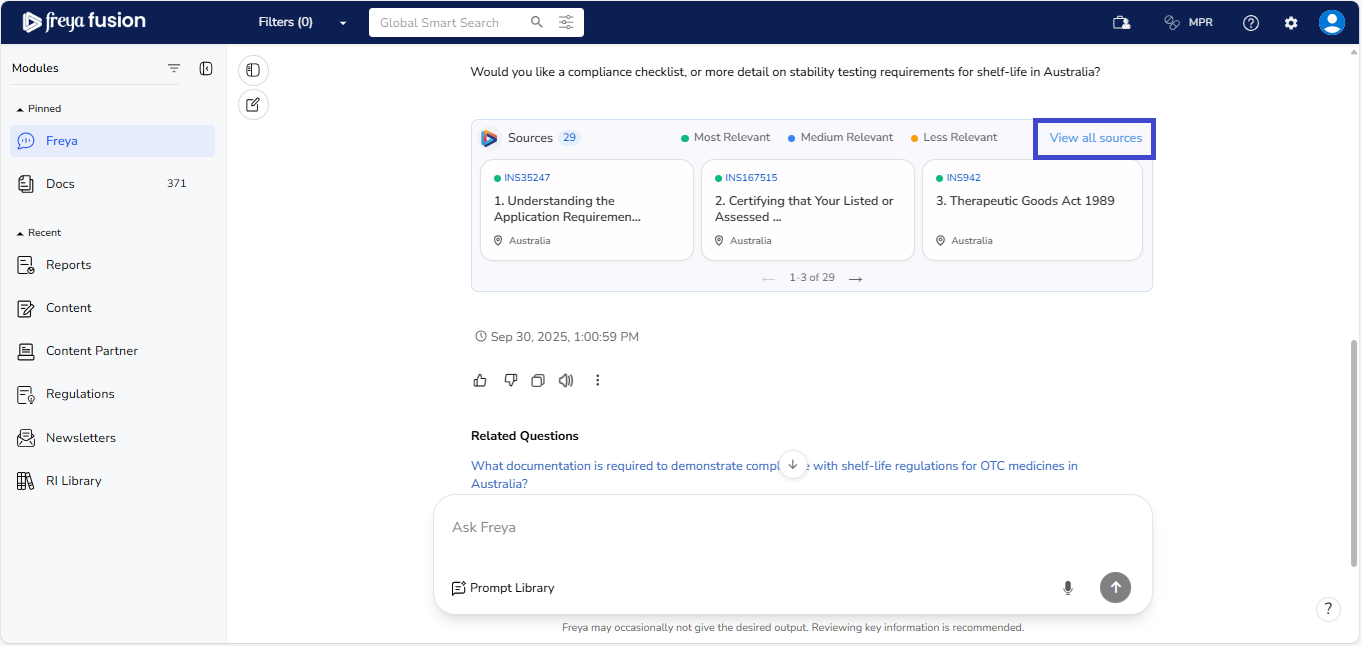
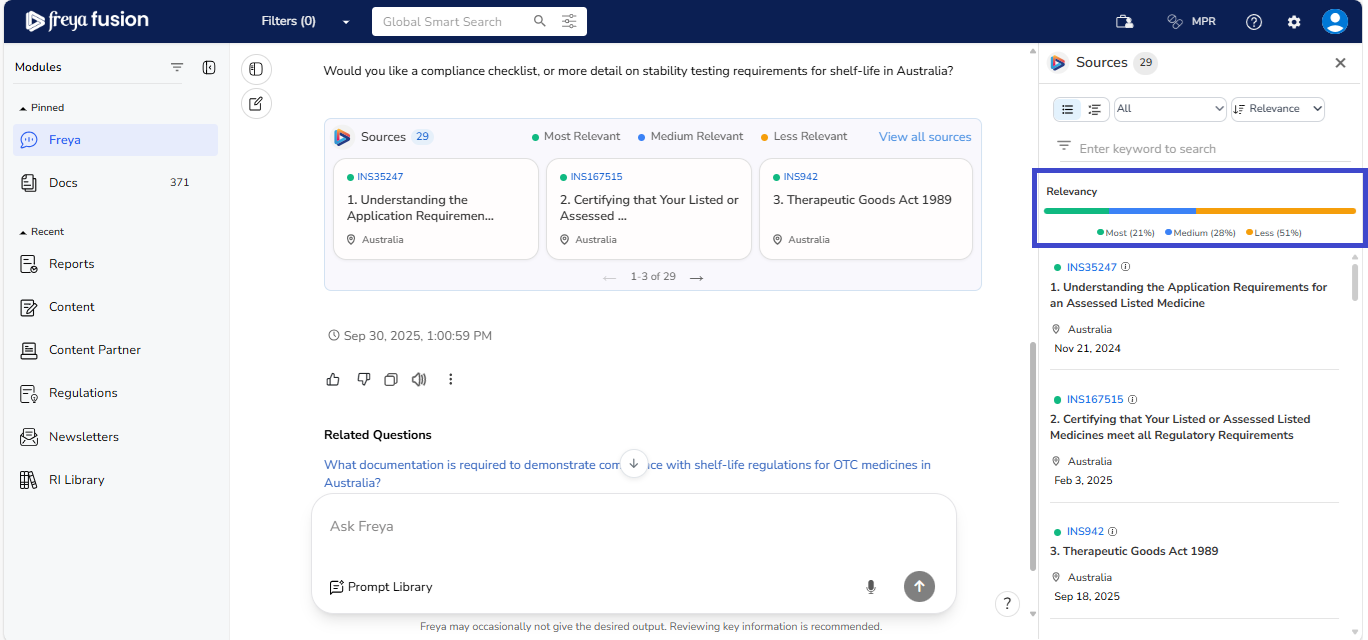
Key features of the Sources Panel include:
- Relevance Classification: All source documents are automatically tagged
based on relevancy, helping you quickly assess their importance.
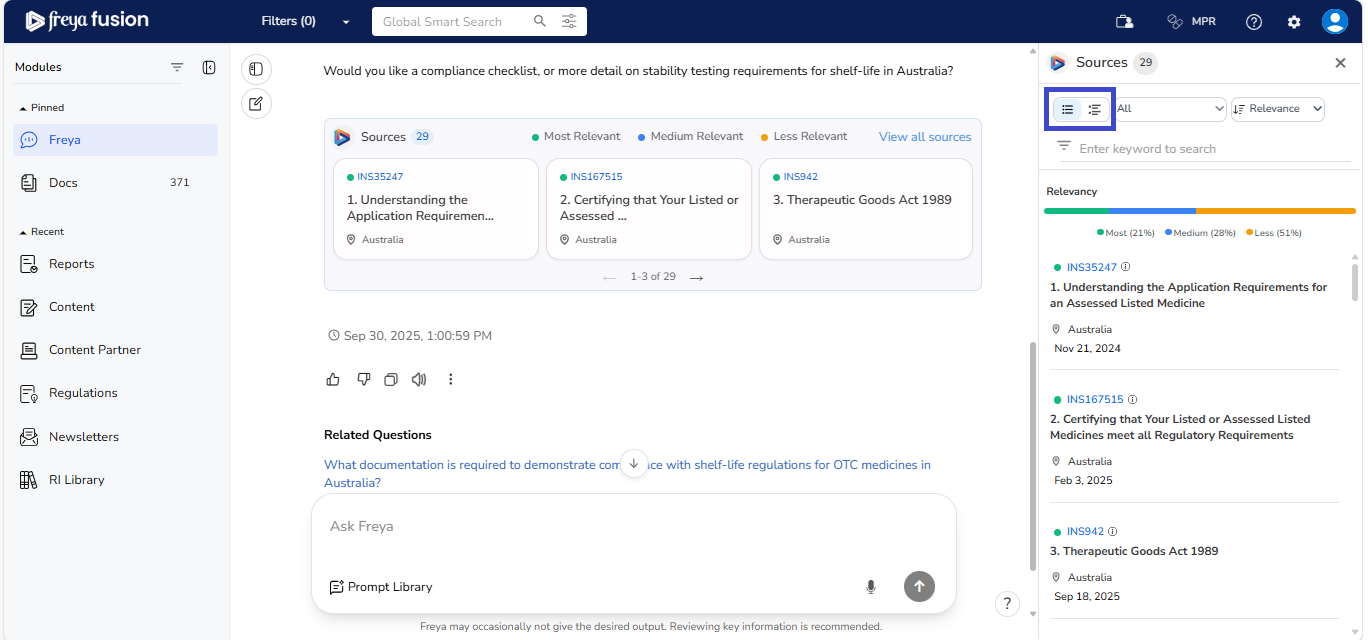
- View Toggle: Switch between compact and detailed view based on your
preference or document browsing needs.
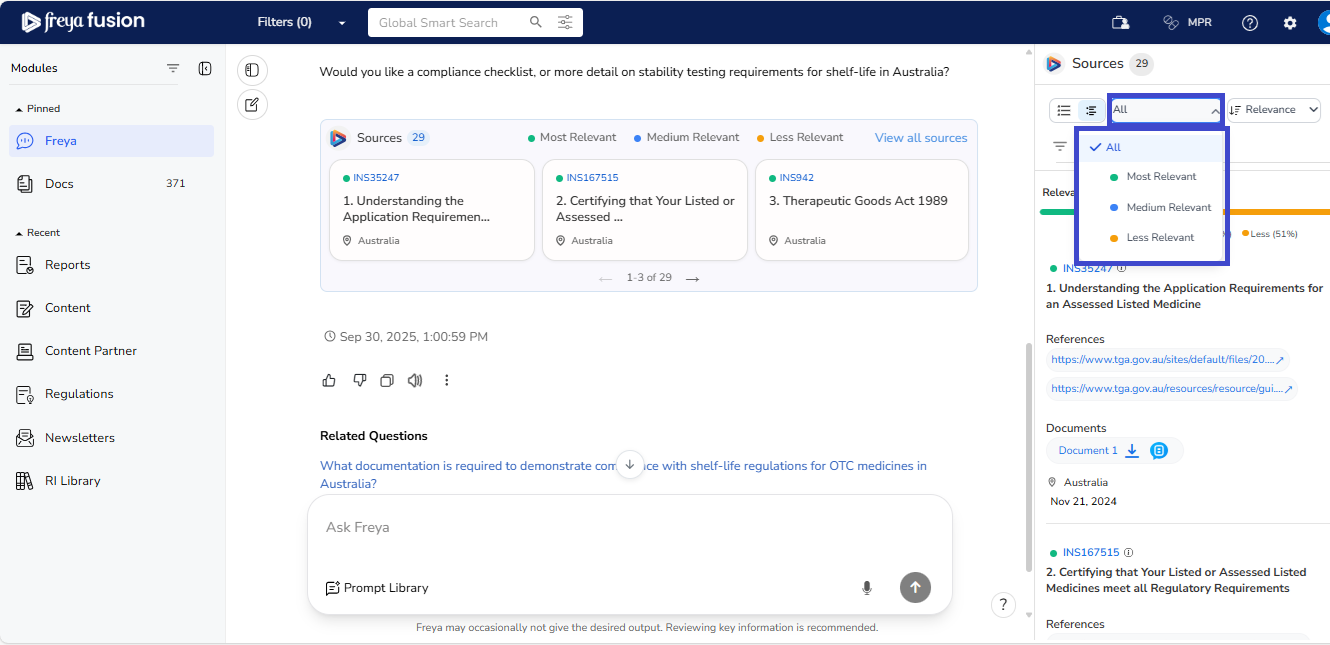
- Filter by Relevance: Click the dropdown above the keyword search bar to
filter documents by relevance category (e.g., only show “Most Relevant”
sources).
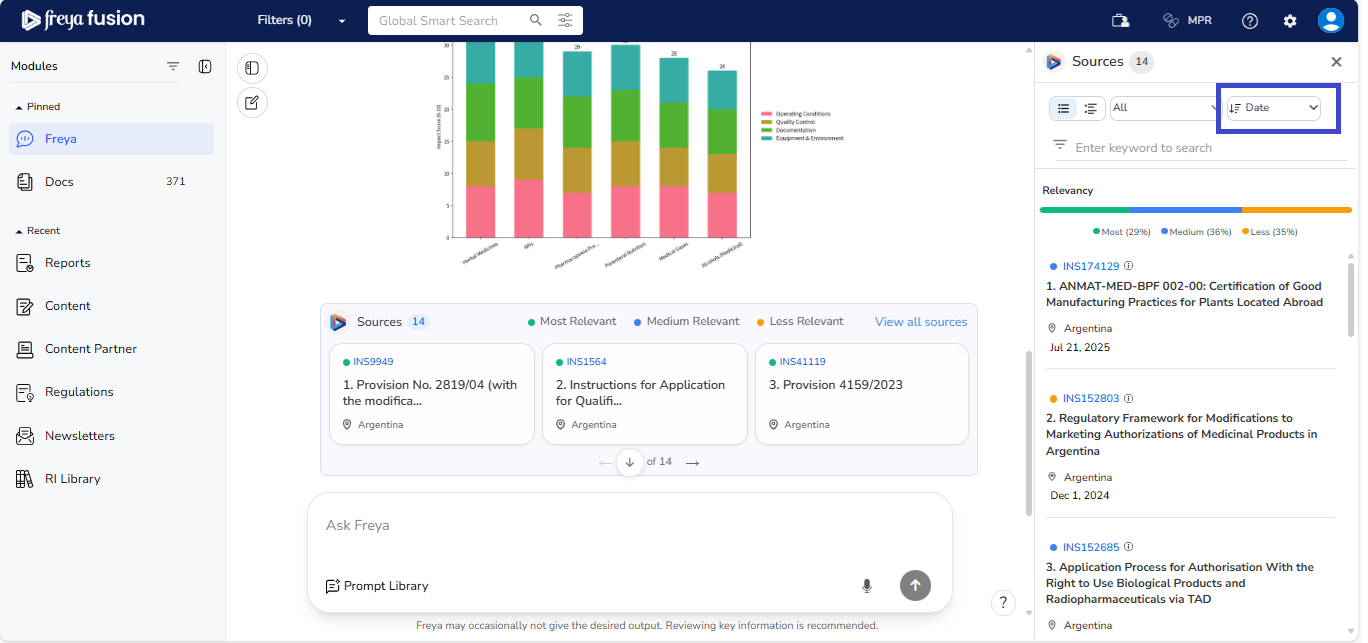
- Filter by Date: Click the dropdown above the keyword search bar to filter
documents by date.
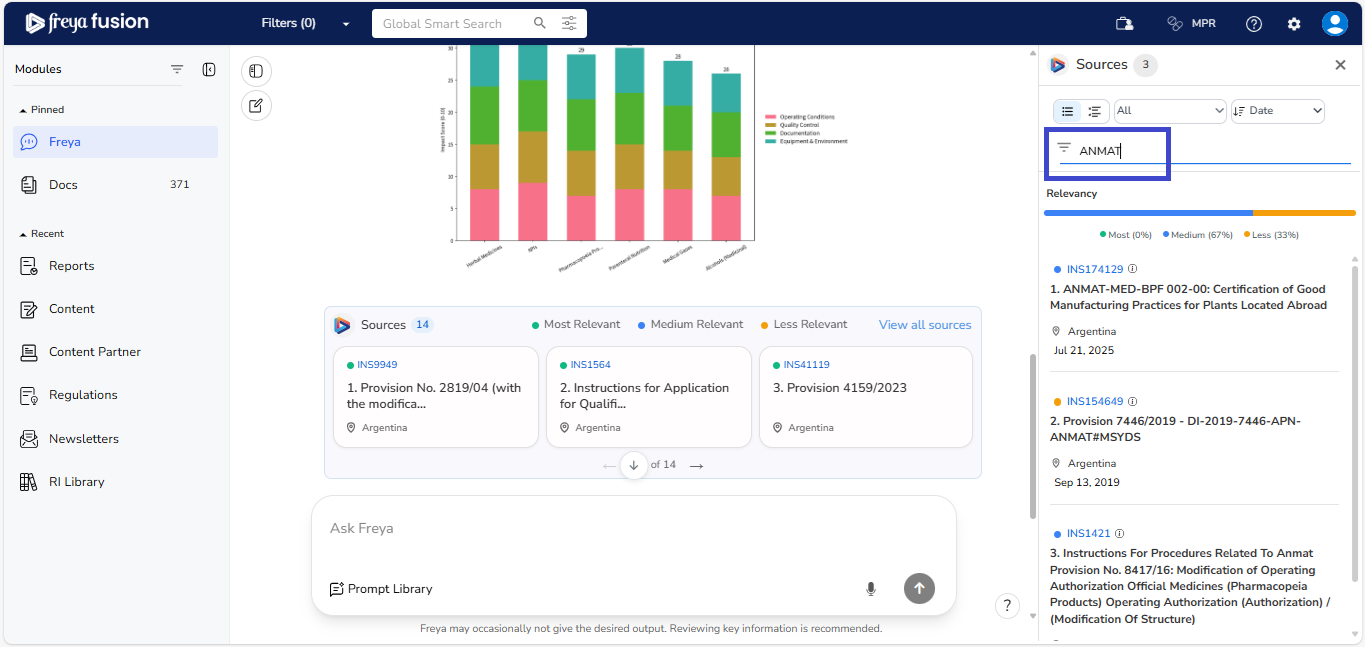
- Search by Keyword: Utilize the keyword search bar to filter documents by
a keyword.
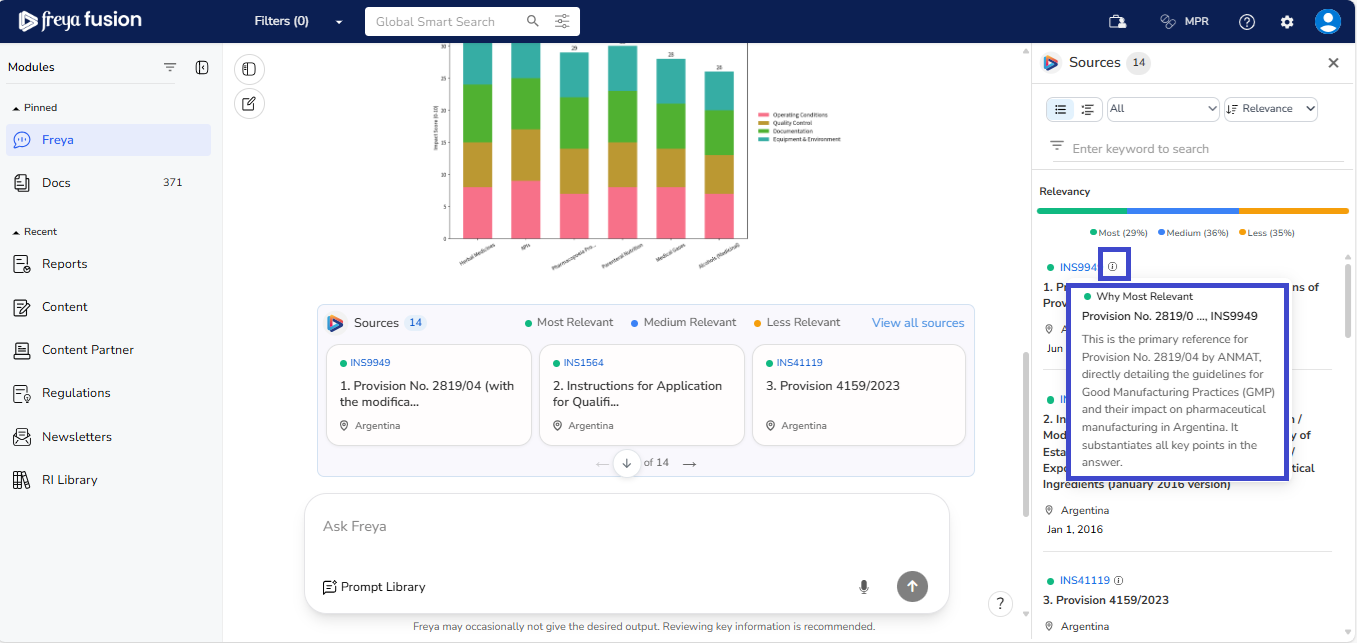
- Why Most Relevant: This feature helps you quickly verify the credibility,
accuracy, and context of the answer provided by Freya. When you see the
information icon (ℹ️) next to a source, you can click on it to understand why
that document was selected as the most relevant reference for your query.
These features give you complete transparency and control over the documents Freya uses, allowing you to explore the exact regulatory references behind every insight.
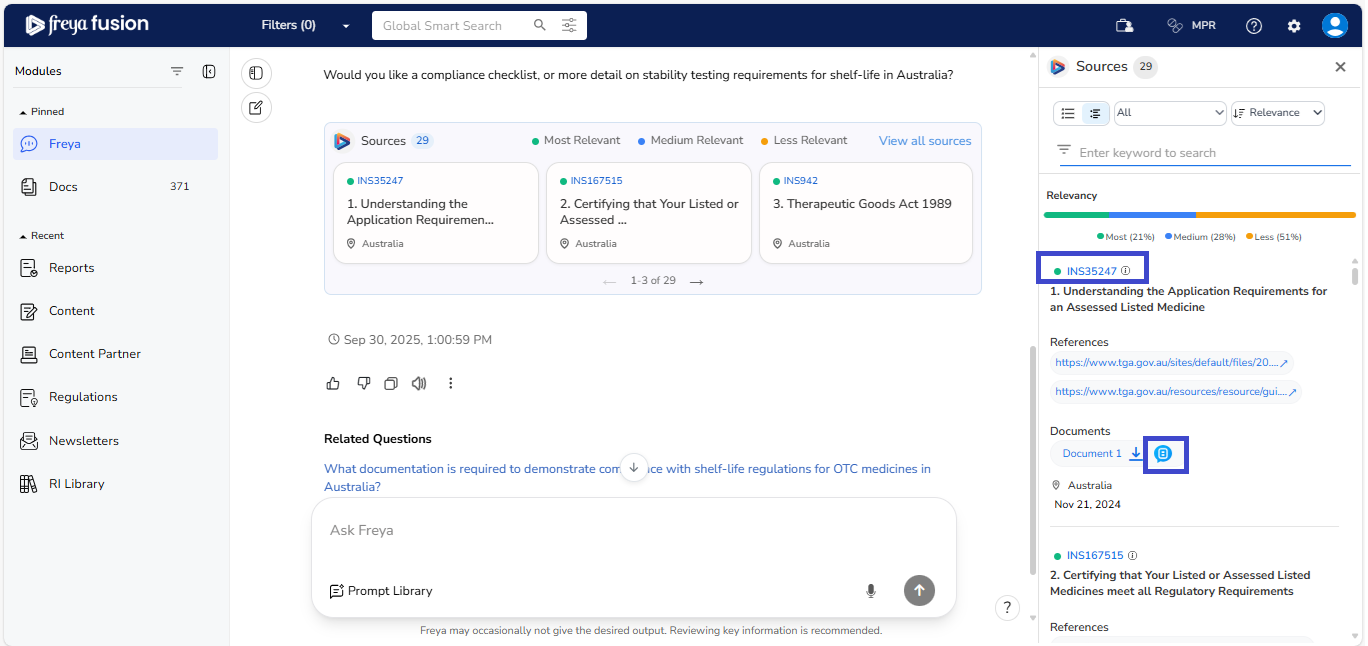
You can click on the Regulation ID to open a detailed view that provides an expert-curated summary and a direct link to the original source document for further verification.
If you’d like to explore a regulation in more depth and interact directly with the document, simply click the bubble icon next to the reference document. This will take you to the Content Partner platform, where you can view the full regulation and ask questions within the document itself for deeper contextual understanding.
2.5 Conversational Continuity with Freya
Freya is built to maintain the context of your conversation, allowing for a smooth, natural flow; just like speaking with a regulatory expert. You don’t need to repeat or rephrase your earlier question. Simply ask your follow-up, and Freya will understand the reference and respond accordingly.
Here’s how it works:
- Initial Question: " What are the key differences in Packaging regulations for Sterile Pharmaceuticals in Japan vs China? "
- Follow-up: " What are the specific documentation requirements for packaging material registration in China and Japan? "
Freya recognizes the context from your previous input and builds on it, helping you explore complex topics step-by-step with clarity and precision. This makes your interaction more efficient, especially when you're deep-diving into layered regulatory subjects.
To begin a completely new query or switch to a different regulatory area, you can
easily start fresh by clicking the “book and pen” icon located on the left-hand side
of the screen.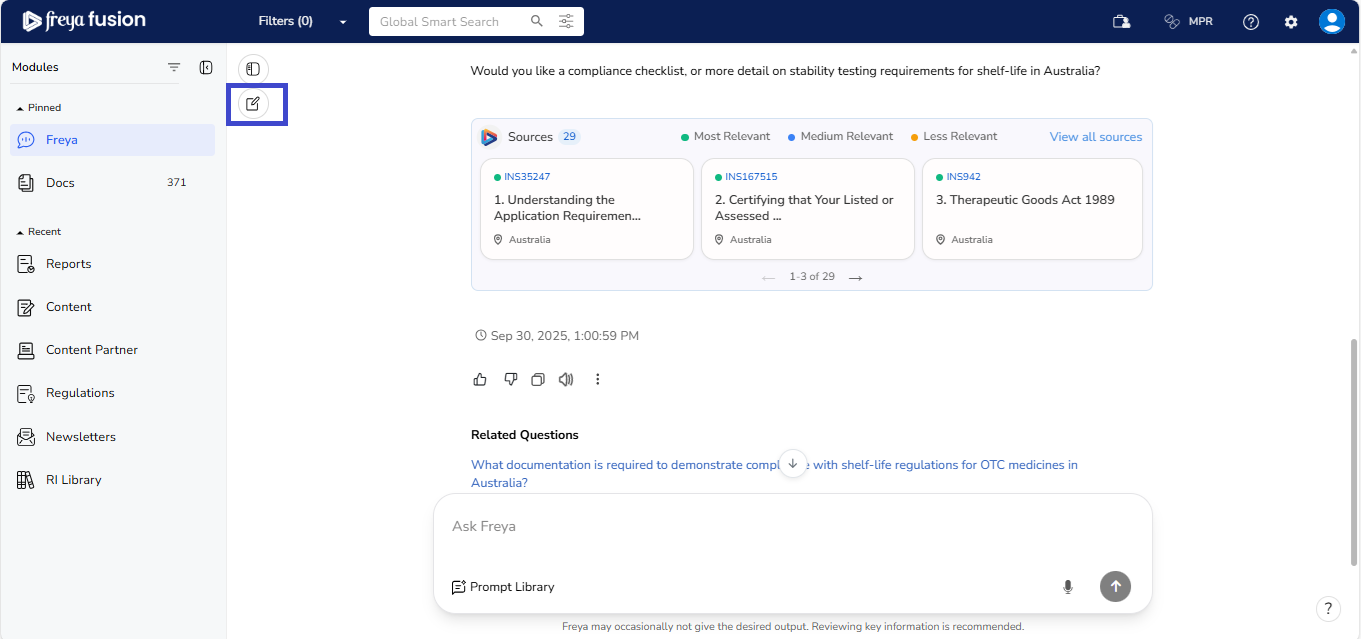
This opens a clean slate, allowing you to ask about a new topic without carrying over the previous conversation context.
To help you stay organized and easily refer to previous insights, Freya offers a set of conversation management tools:
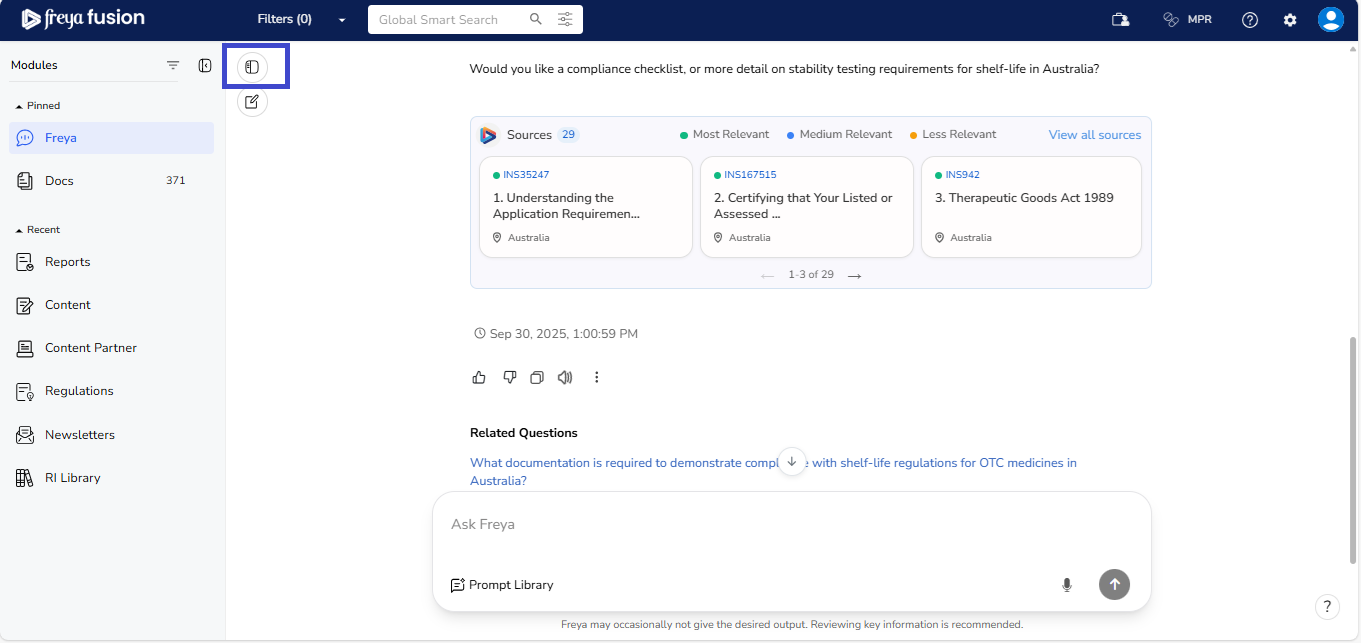
- View Previous Interactions: Click the Conversation History Panel
icon to access your last interactions. This feature is especially useful for
revisiting past queries, tracking discussions, or retrieving previously provided
information. Conversation history is also accessible for the last 30 days.
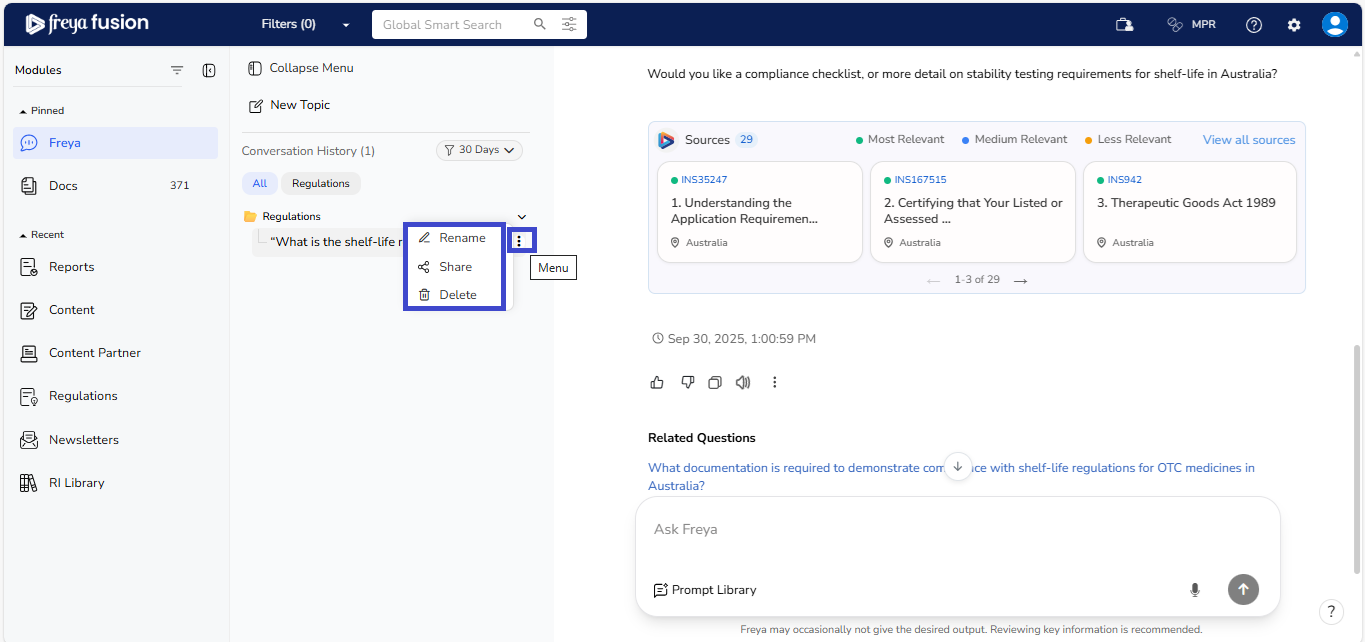
- Rename or Delete Conversations: For better organization, you can
rename any conversation by clicking the three-dot menu next to the
chat title. This helps you quickly identify important threads. If a conversation
is no longer relevant, you can also choose to delete it from the same
menu.
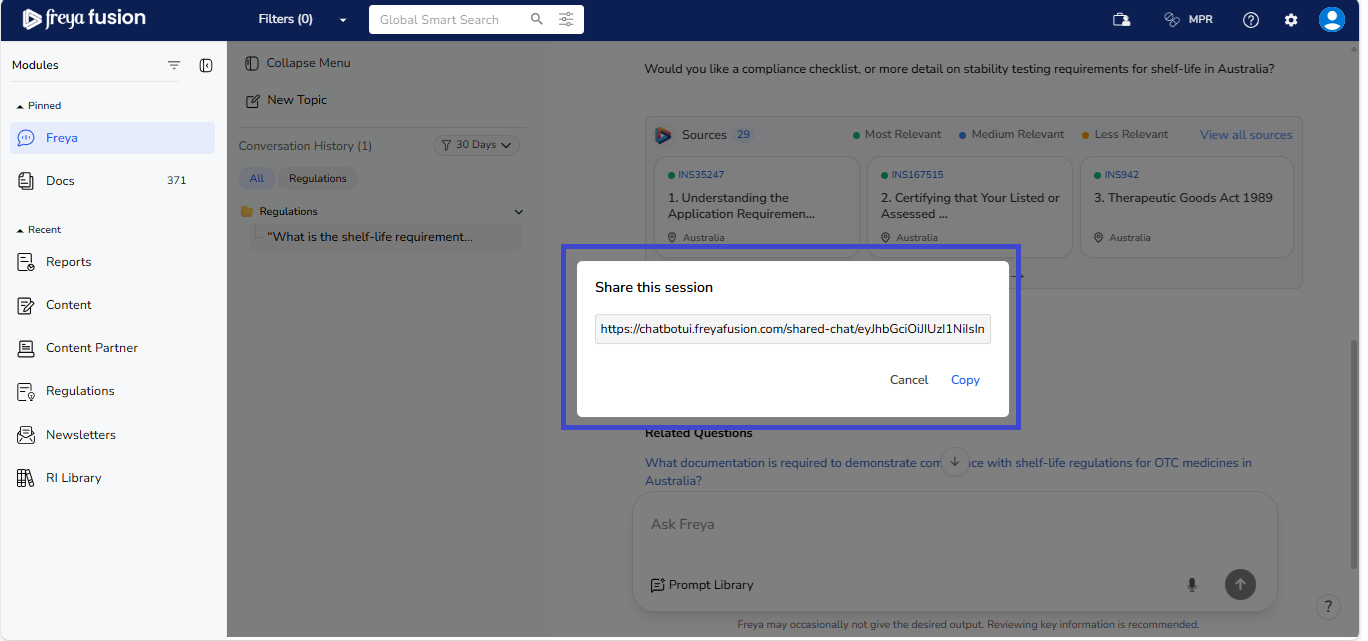
- Sharing Conversations: You can easily share your chat conversations with
colleagues, even if they don’t have access to the platform. Simply click the “
Share ” button, copy the generated link, and send it to your team.
They’ll be able to view the full conversation without needing to log in.
These tools give you more control over your workspace, making it easier to manage ongoing regulatory research and streamline repeated tasks.
2.6 Customizing and Interacting with Freya’s Responses
Beneath every response, Freya offers helpful tools to customize the output and enhance your experience. Here's how to navigate and use them:
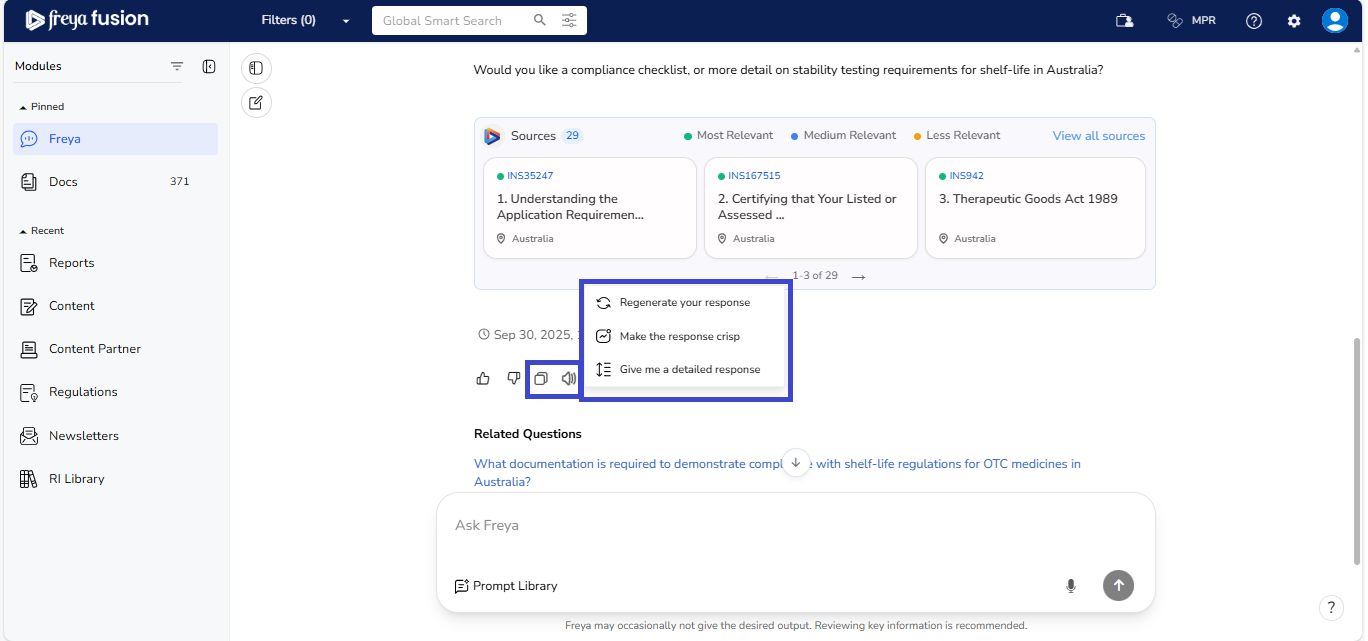
- Click the Three-Dot Menu (located below the response on the right) to
access these customization options:
- Regenerate Your Response: Re-run your query to generate a new version of the response. This is useful if you’d like a different phrasing or focus.
- Make the Response Crisp: Get a shorter, more to-the-point version of the answer when you’re looking for a quick summary.
- Give Me a Detailed Response: Expand the output to receive a more thorough and in-depth explanation—ideal for complex regulatory questions.
- Copy: Click the copy icon to instantly save the entire response to your clipboard for reuse in reports, documentation, or emails.
- Speak: Hit the speaker icon to listen to the response.
2.7 Language Settings
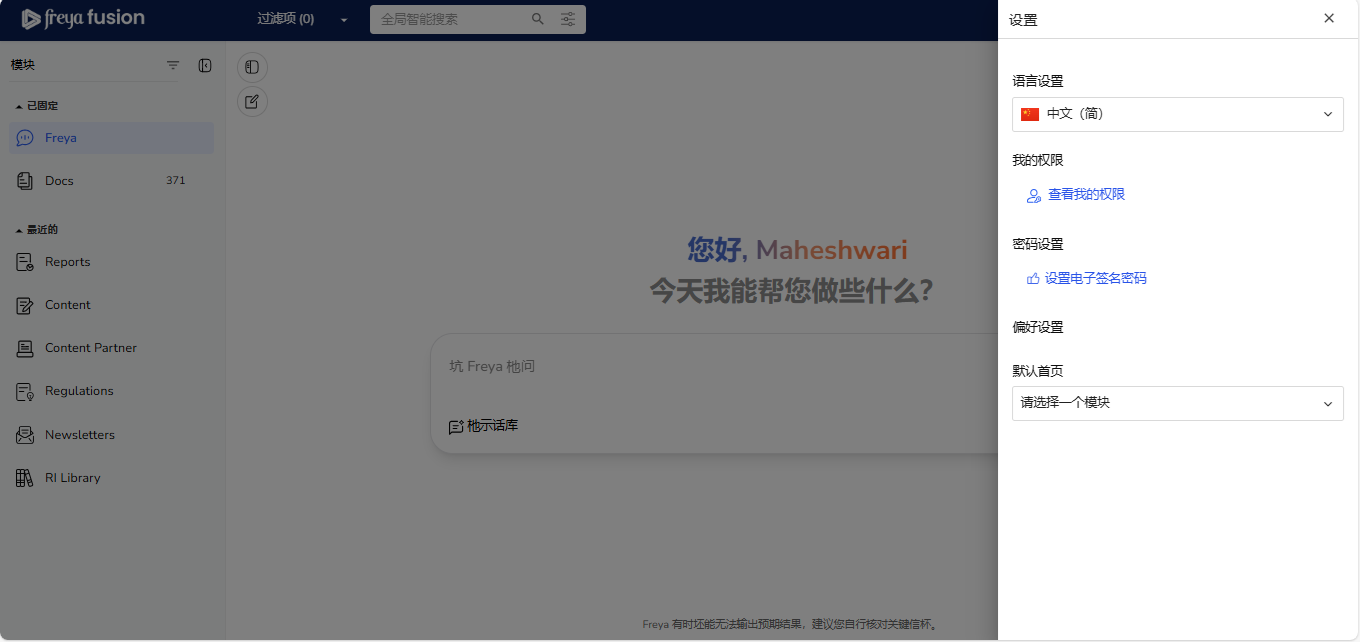
The Language Settings option allows you to change the display language you are conversing in with the chatbot. Freya Chatbot now supports Chinese (alongside Japanese), making it even more accessible. You can select from the available languages in the dropdown menu.
How to Use:
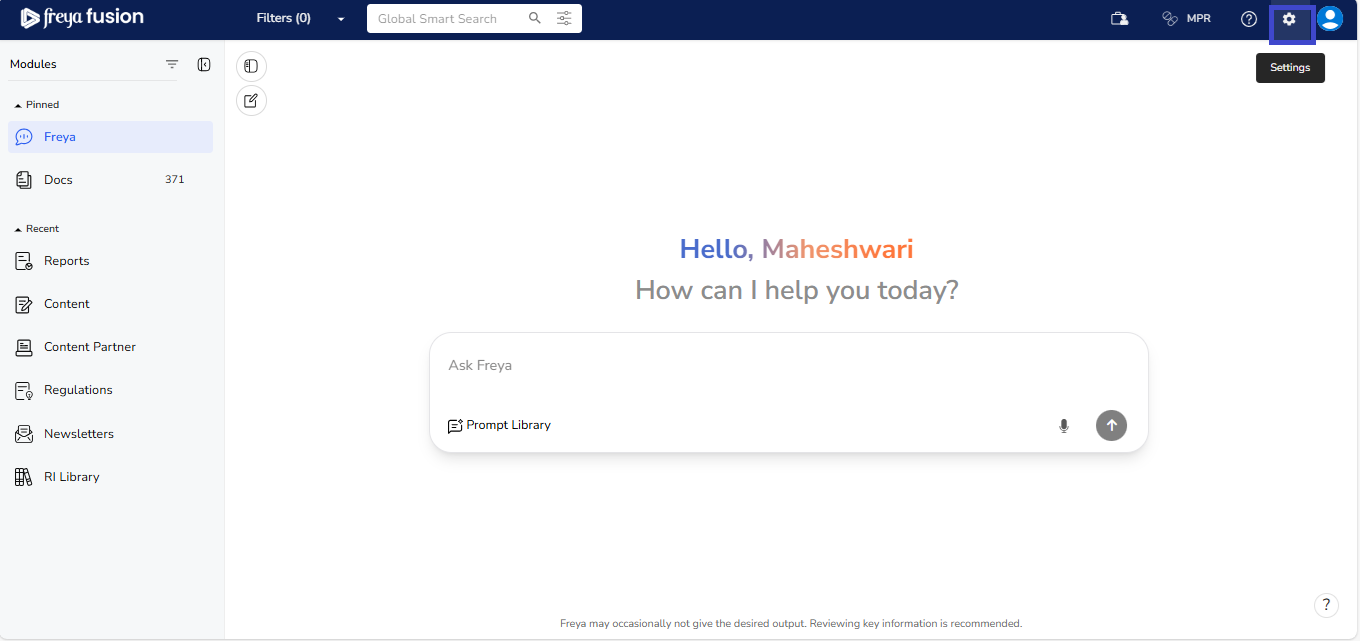
- Click Settings
- Open the Language Settings dropdown.
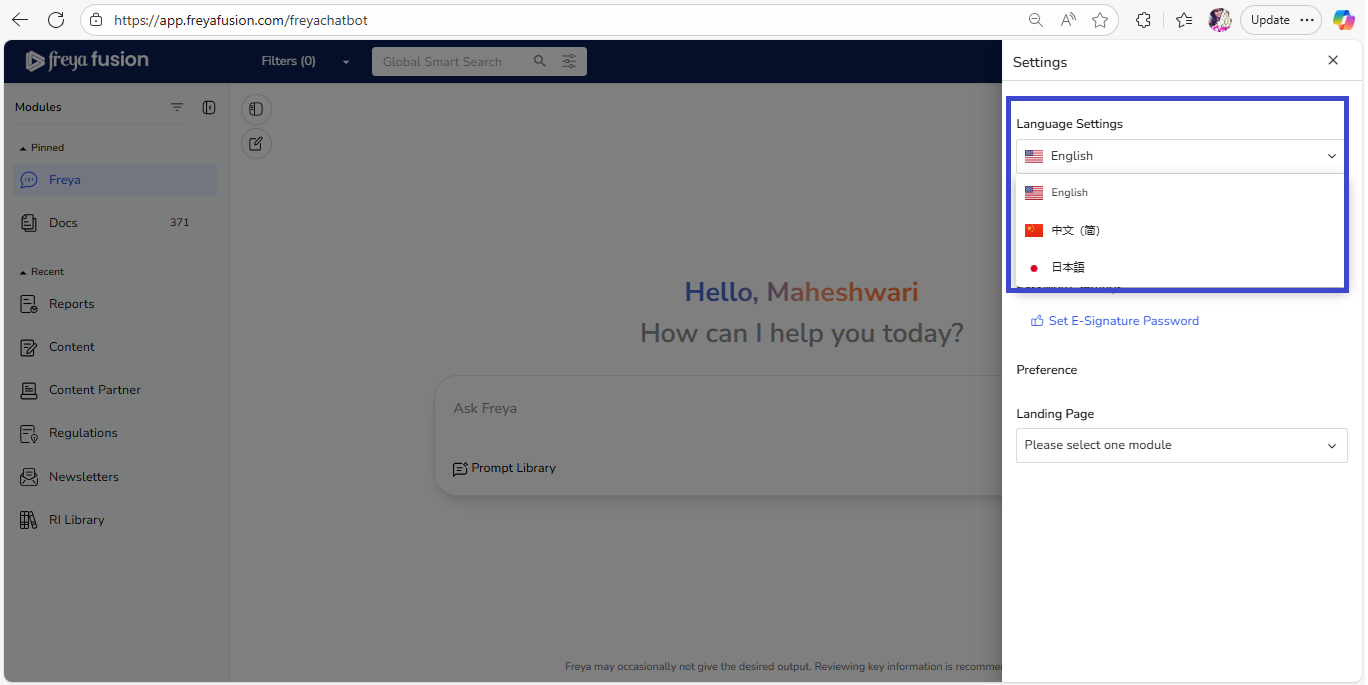
- Choose your preferred language (e.g., English, Japanese,Chinese).
- The interface will update to display in the selected language.